How Touch Typing Works
Touch typing works by teaching your fingers where the keys are, so you can type without looking at the keyboard. With practice, the movements become automatic. You can focus on what you want to say, rather than searching for each letter.
It’s a useful skill for school, work and everyday life. But how do you learn to type by touch?
What Is Touch Typing?
Touch typing is a way of typing that gives each finger a set of keys to press. You keep your eyes on the screen or the text you are copying, rather than looking down at your hands.
Unlike “hunting and pecking” with one or two fingers, touch typing uses both hands in a clear pattern. This helps you find the keys by feel and move between them with less effort.
How Can You Type Without Looking?
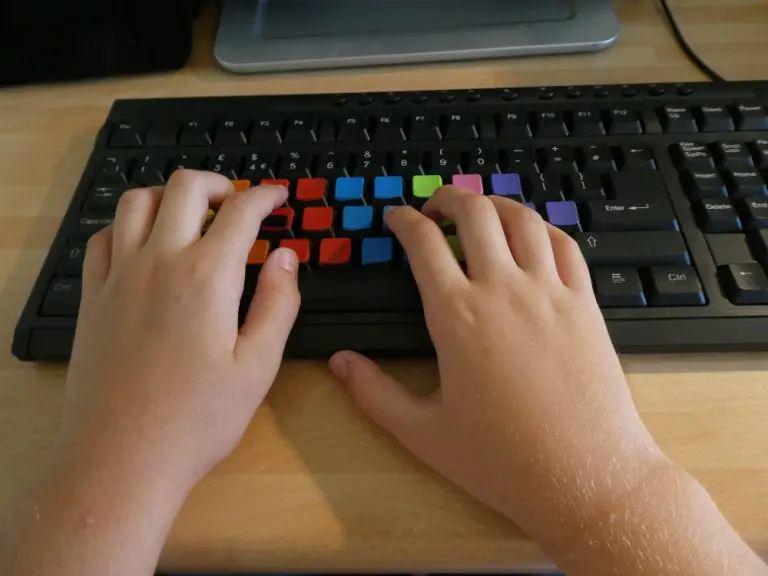
The starting point is the home row. On a standard QWERTY keyboard, your left fingers rest on A, S, D and F. Your right fingers rest on J, K, L and the semicolon key. Your thumbs sit near the space bar.
Most keyboards have small raised marks on F and J. These help your index fingers find their starting position without looking.
From here, each finger reaches for its own keys and returns to the home row. At first, you need to think about each movement. With repeated practice, your brain learns the patterns.
This is often called muscle memory. The memory is in your brain, rather than your fingers, but it allows familiar movements to happen with less conscious thought. It’s similar to learning to ride a bike or play an instrument.
Learning the Movements with Englishtype
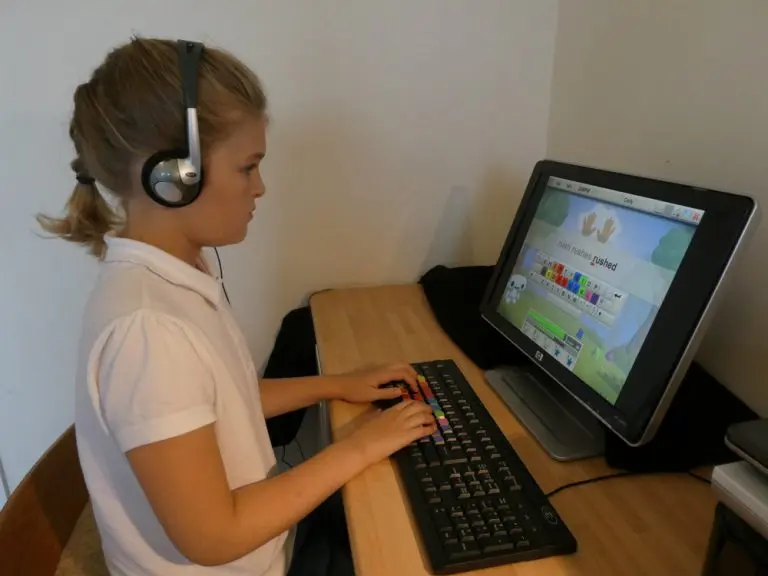
A structured course helps you build these habits step by step. Englishtype uses colour coding to show which finger presses each key. Lessons introduce finger movements, then build up to words and phrases.
Englishtype Junior is aimed at primary school children, while Englishtype Senior is designed for teenagers and adults. Both combine practice with games and activities to keep learners motivated.
Start slowly and focus on accuracy. Short, regular sessions help you learn the movements, with speed building as typing becomes more natural.
What Are the Benefits?
Once you can type without looking, you can:
- Save time: spend less time searching for keys.
- Spot mistakes: keep your eyes on the screen as you type.
- Focus on your ideas: give more attention to what you want to write.
- Build confidence: feel more at ease with homework, emails and other written tasks.
Touch typing takes practice, but it’s a skill you can use for life. Try the free Englishtype demo to take your first steps.